31 August 2026
BTS E-Invoicing Compliance in Belize: You Invoice. We File.
If you run a business in Belize, electronic invoicing is no longer a choice. The Belize Tax Service requires businesses to file electronic tax documents (ETDs) for their invoices. It is a legal compliance requirement, and behind that short sentence sits some genuinely heavy technology. I have spent some time building the machinery that deals with it, so that Belizean businesses never have to.
What does BTS electronic invoicing actually require?
To comply with Belize Tax Service electronic invoicing, every invoice has to be:
- converted into UBL 2.1 XML, a strict international invoice format
- cryptographically signed (XAdES) with a certificate issued for your business
- submitted to BTS over a secured mutual-TLS connection
- chained to the filing before it, so the sequence can be audited
- printed carrying its authorization number and a verification QR code
That is infrastructure work: certificates, servers, signatures, a government connection to keep healthy, and a specification that will keep evolving. No small business should have to build or operate any of that to send an invoice.
The answer: you invoice, we file
BITS (Belize Integrated Technology Services Ltd.) runs a fully managed e-invoicing service on exactly that principle. Your existing accounting system connects to the BITS cloud, which validates, converts, signs and files every invoice with BTS automatically, typically within seconds of the invoice being saved.
The core promise is simple: your staff's workflow does not change. Same screens, same invoices, same printing. As the BITS deck puts it: "E-invoicing, without the work." Or shorter still: "You invoice. We file." You never touch a certificate, a server, or an XML file. Ever.
Here is the whole thing, start to finish, in under half a minute:
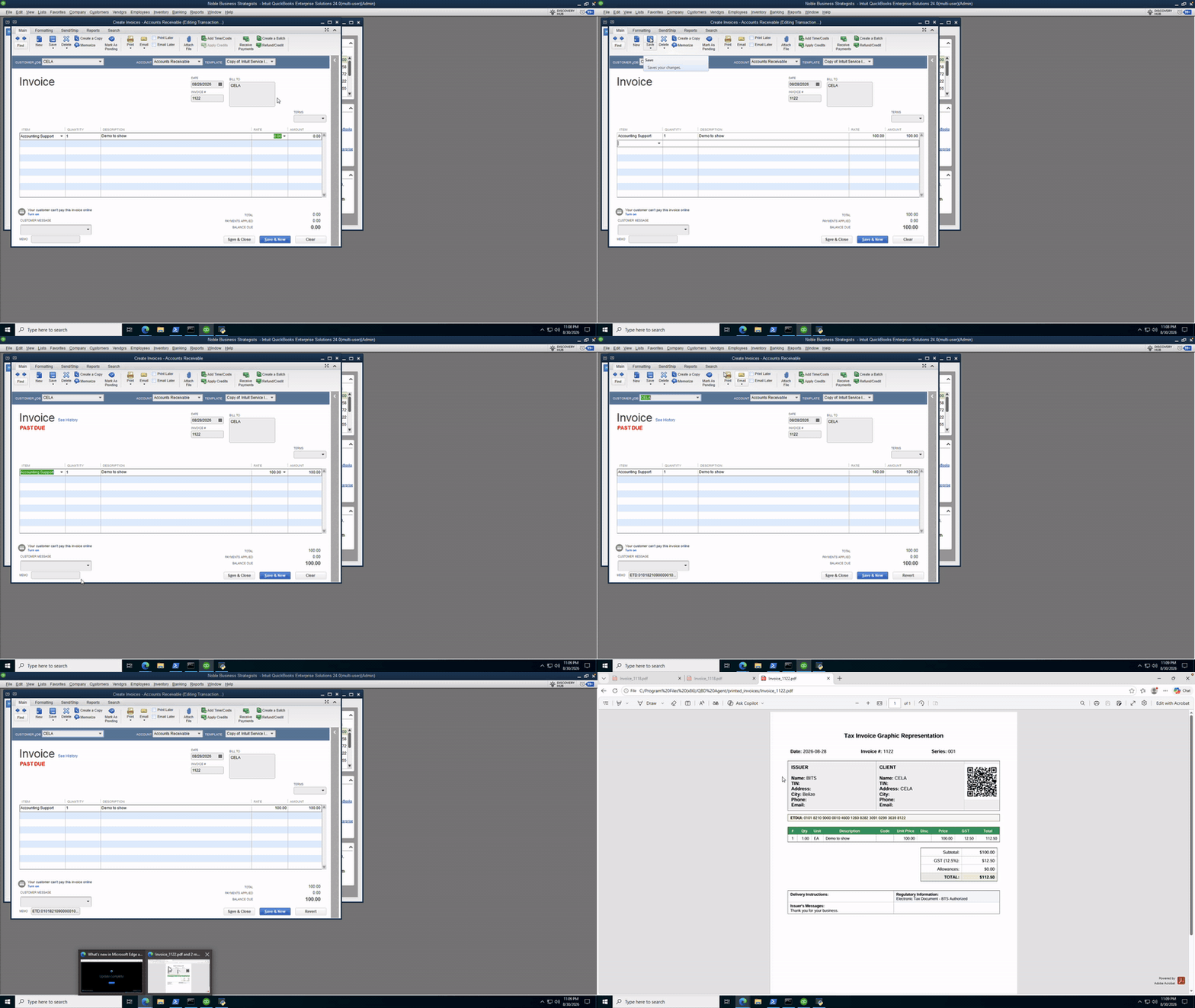
A staff member creates an ordinary invoice and saves it, exactly as they always have. Seconds later it is filed with BTS. Reopen the invoice in QuickBooks and the authorization number, the 44-digit ETDUI, is already on it, written back automatically. Print it through our QBridge virtual printer and the PDF carries the QR code and ETD number. Scan that QR with a phone and the official BTS verification page confirms the invoice. Nothing changed about how the business invoices, and every invoice is filed and verifiable.
Three ways to connect
QuickBooks Desktop
Setup is one small installer. Run the setup.exe, authorize the connection once inside QuickBooks, and you are done; there is no new software for staff to learn. From then on invoices sync automatically in the background, even when QuickBooks is closed. The ETDUI is written back onto each invoice inside QuickBooks, and printing through the QBridge printer stamps the verification QR code onto the PDF. Multiple company files on one machine are supported, each with its own settings.
QuickBooks Online
Simpler still: there is nothing to install. You connect your Intuit account and invoices sync straight from the cloud.
Odoo
A standard Odoo addon. Install it, paste one API key, and posting an invoice files it; there is no extra button and no export step. Each invoice shows its filing status on the record, the printed PDF carries the ETD number and QR code automatically, and any failed submission retries on its own until it goes through.
You stay in control
Not every invoice should go to Tax. Internal transfers, exempt customers and inter-company billing are normal parts of doing business, so filing rules are configured with you during onboarding: exclusions by customer, by invoice type, or by a simple flag your staff set on the invoice itself.
There is also a go-live date gate. Nothing files before the date you choose; historical invoices sync for your records but are never submitted. Credit notes are held for review rather than filed automatically, until you decide otherwise. And every setting is per-company, so a multi-entity business can run different rules side by side.
Fully managed means fully managed
BITS operates the entire compliance layer so you never see it:
- hosting, and off-site backups of every filed document
- the signing certificate and every renewal
- the secure BTS connection, and every specification change BTS publishes
- 24/7 monitoring with automatic retries, so failures are seen and fixed before you notice them
- updates to the agent and addon
- local support that speaks QuickBooks, Odoo and BTS
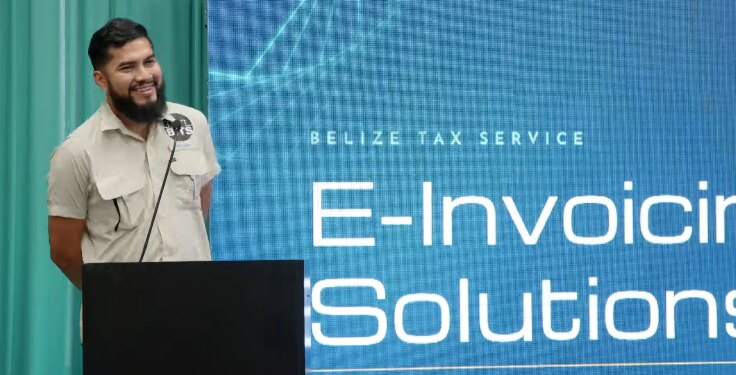 Presenting the e-invoicing service. The whole pitch fits on one slide because the product fits in one sentence.
How fast can you go live?
Under a day, in three steps. First, enroll: BITS registers your company and sets the filing rules together with you. Second, install: the QuickBooks agent or Odoo addon, a matter of minutes rather than days. Third, verify: a few test filings, a check that the printed invoice looks right, and filing switches on from your go-live date.
Getting started
BTS e-invoicing compliance is one of those problems that is enormous to build and invisible when it is done properly. If your business runs on QuickBooks or Odoo in Belize, you can see the live overview at qb.mark-dev.com/bts, or tell me what you are running and I will point you at the right path in.